MeltDBWiki/ExperimentTIC: Difference between revisions
Jump to navigation
Jump to search
imported>HeikoNeuweger No edit summary |
m 4 revisions |
(No difference)
| |
Revision as of 07:15, 26 October 2011
Review your uploaded chromatograms of your experiment
- After logging in to MeltDB, select your experiment by either a) browsing through the list of available experiments or b) via the search function available at the top.
a)


b)


- After selecting your experiment, you can generate a multiple TIC view of the associated chromatograms via the following function:


- The first call to this may take some time since the image needs to be rendered from the raw datasets. Consecutive calls will reuse the generated image.
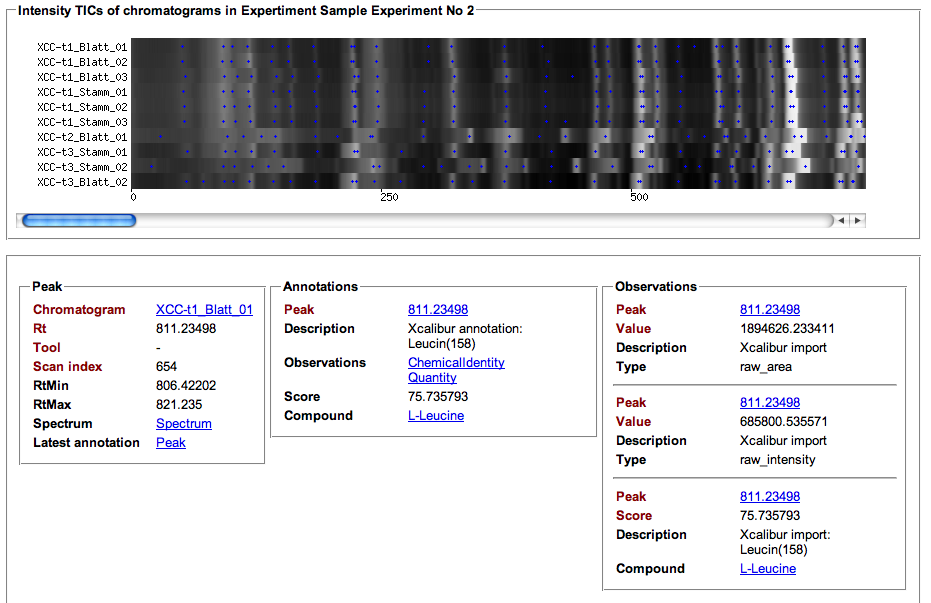

- The blue spots in the chromatogram visualization represent detected peaks. Additional information stored in Obseravtions and Annotations is presented for each Peak on mouse click.